PCIe M.2 NVMe SSD Board - Geekworm X1002 for Raspberry Pi 5


PCIe M.2 NVMe SSD Board - Geekworm X1002 for Raspberry Pi 5
SPECIFICATIONS
Battery Included: no
Brand Name: cbhioarpd
Demo Board Type: ARM
High-concerned chemical: None
Origin: Mainland China
Typical Application Fields: Education and Learning
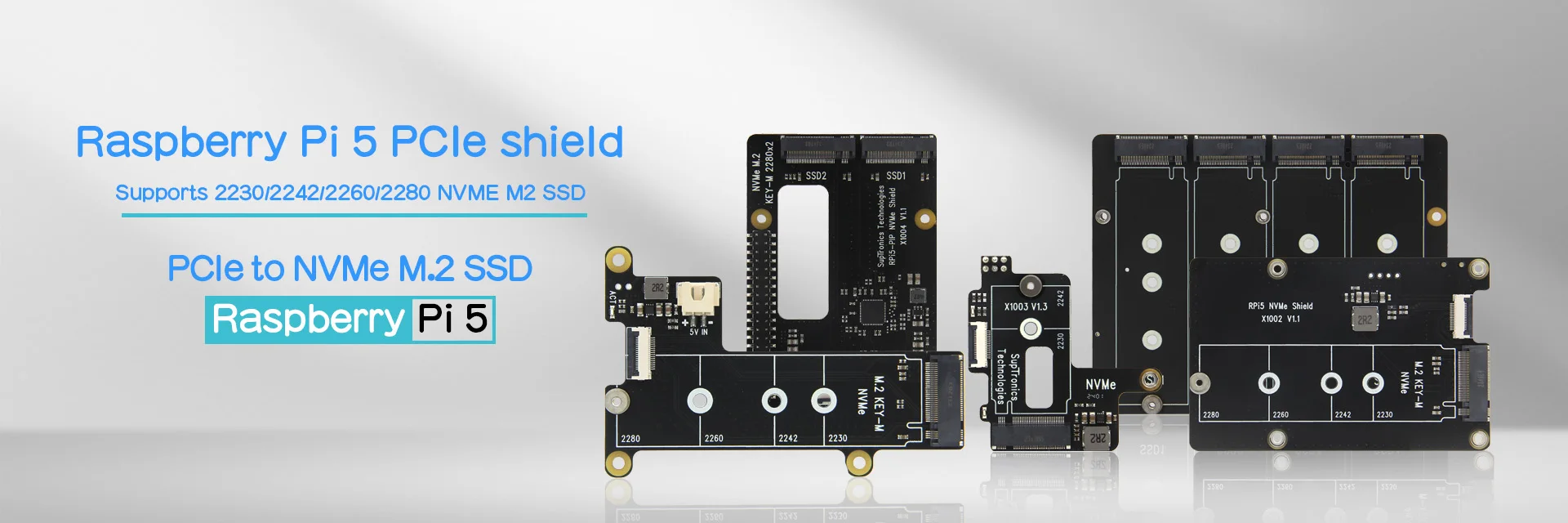
Geekworm PCIe to M.2 NVME Shield Sets:
Model |
Compatible with |
Matching Case |
Matching Cooler |
Supported SSD lengths |
Raspberry Pi 5 |
2230/2242 |
|||
Raspberry Pi 5 |
2230/2242/2260/2280 |
|||
Raspberry Pi 5 |
2230/2242/2260/2280 |
|||
Raspberry Pi 5 |
2230/2242 |
Model |
Compatible with |
Matching Case |
Matching Cooler |
Supported SSD lengths |
Raspberry Pi 5 |
Dual SSD:2280 |
|||
Raspberry Pi 5 |
Dual SSD: 2230/2242/2260/2280 |
|||
Raspberry Pi 5 |
2230/2242/2260/2280 |
|||
Raspberry Pi 5 |
4 SSDs: 2230/2242/2260/2280 |
[Note]
Not
include Raspberry Pi 5 board and NVMe M2 SSD!!!
Compatible with M.2 NVMe SSDs
Not compatible with M.2 SATA SSDs, M.2 PCIe AHCI SSDs, or other M.2 non-NVMe devices
Older NVMe drives with less efficient flash media may not perform as well as newer drives
New NVMe SSDs are not partitioned and will need to be both partitioned and formatted when first connected to the Raspberry Pi before they will be accessed in the Explorer.
[Overview]
The X1002 V1.0 shield is a bottom NVMe M2 2280 SSD PIP (PCIe Peripheral Board) for the Raspberry Pi 5 that uses the new PCIE interface of the Raspberry Pi 5 to utilise the NVME M2 SSDs for fast data transfers and ultra-fast booting.
Now we use black FPC wire, which has electromagnetic shielding and anti-interference.
[Features]
Full compatible with other HAT shield;
Customized FPC cable for easy use of TF card;
Supports installation of official active coolers also;
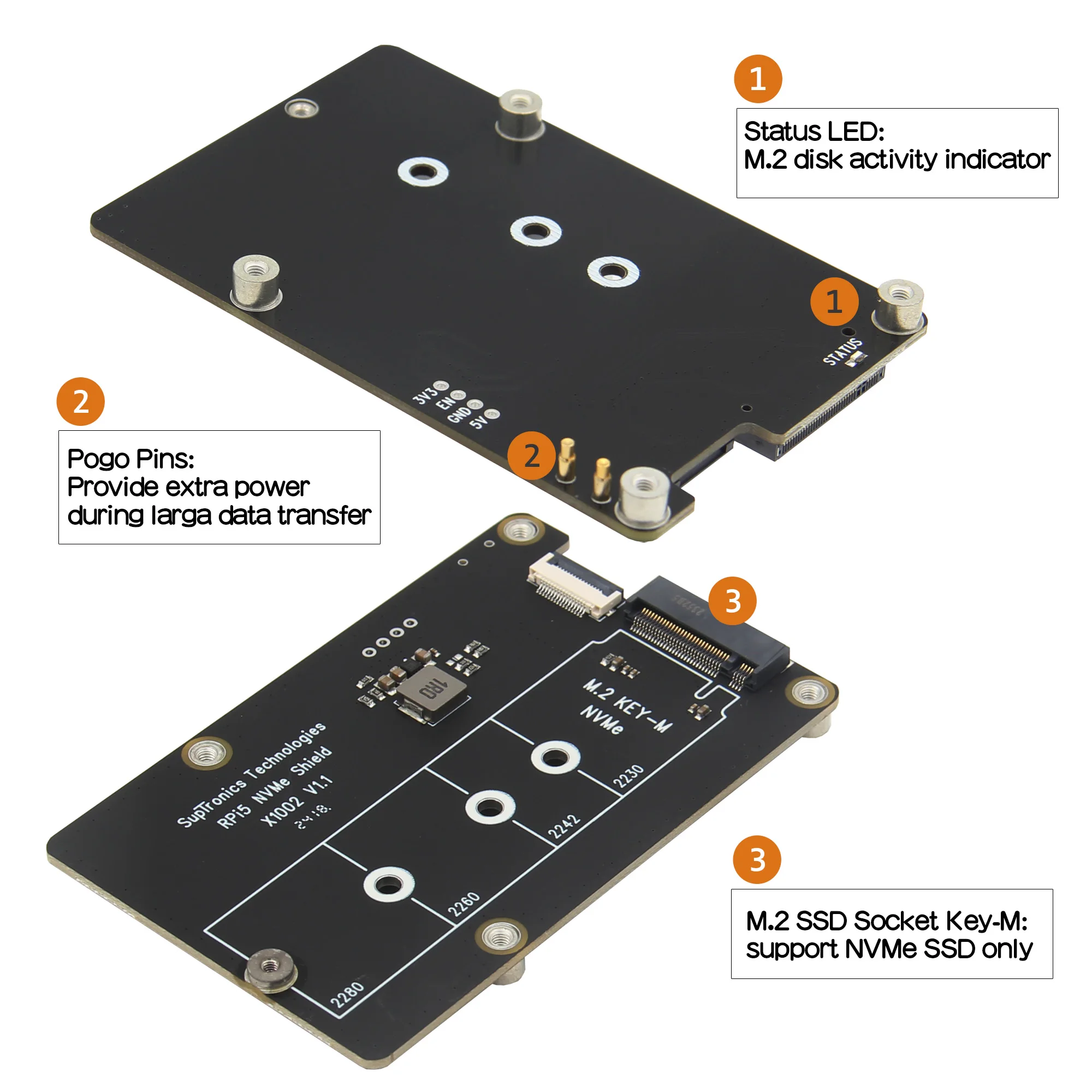
With ACT LED Indicator;
Supports 2230/2242/2260/2280 NVMe M2 SSD.
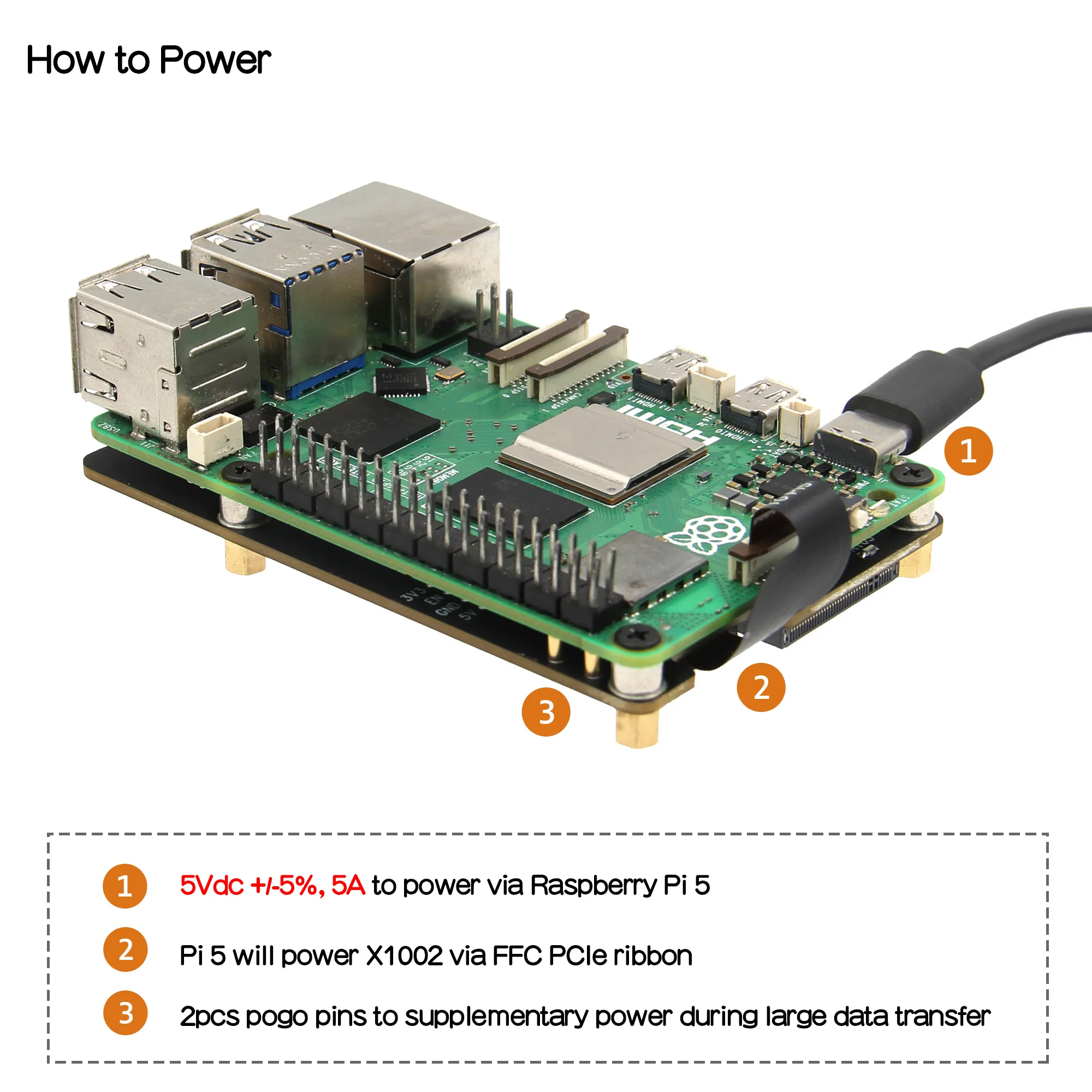
Can power the X1002 shield directly from the FFC PCIe ribbon (providing maximum 5W of continuous power)
PS:
Maximum current for pcie connector is 1A, and voltage is 5V
If you find that the SSD is not working properly, it is possible that the power supply of SSD is not enough, then you need to check the current requirement of your SSD to decide whether power the SSD separately.
The X1002 hardware has no limit on NVME SSD capacity, which is dependent on the Raspberry Pi OS.


[How to Power]
Can power the X1002 shield directly from the FFC PCIe ribbon (providing maximum 5W of continuous power)
[Manual]
https://wiki.geekworm.com/X1002
[Packing List]
1 x X1002 NVMe SSD Shield bottom
1 x PCIe FPC Cable
4 x M2.5x5mm F/F Spacers
4 x M2.5x10mm Screws
1 x M2x4mm Screws (to fix NVMe M2 SSD)

[Working Days / Hours]